> ## Documentation Index
> Fetch the complete documentation index at: https://docs.meetjamie.ai/llms.txt
> Use this file to discover all available pages before exploring further.
# OneNote
> Save meeting notes to OneNote
Connect Jamie to OneNote to automatically save meeting notes to your notebooks.
## Connecting OneNote
1. Go to **Settings → Integrations → OneNote**
2. Click **Connect OneNote**
3. Select your Microsoft account and authorize the connection
Once connected, you can save meeting notes into any section across your existing notebooks.
## Sending Meetings to OneNote
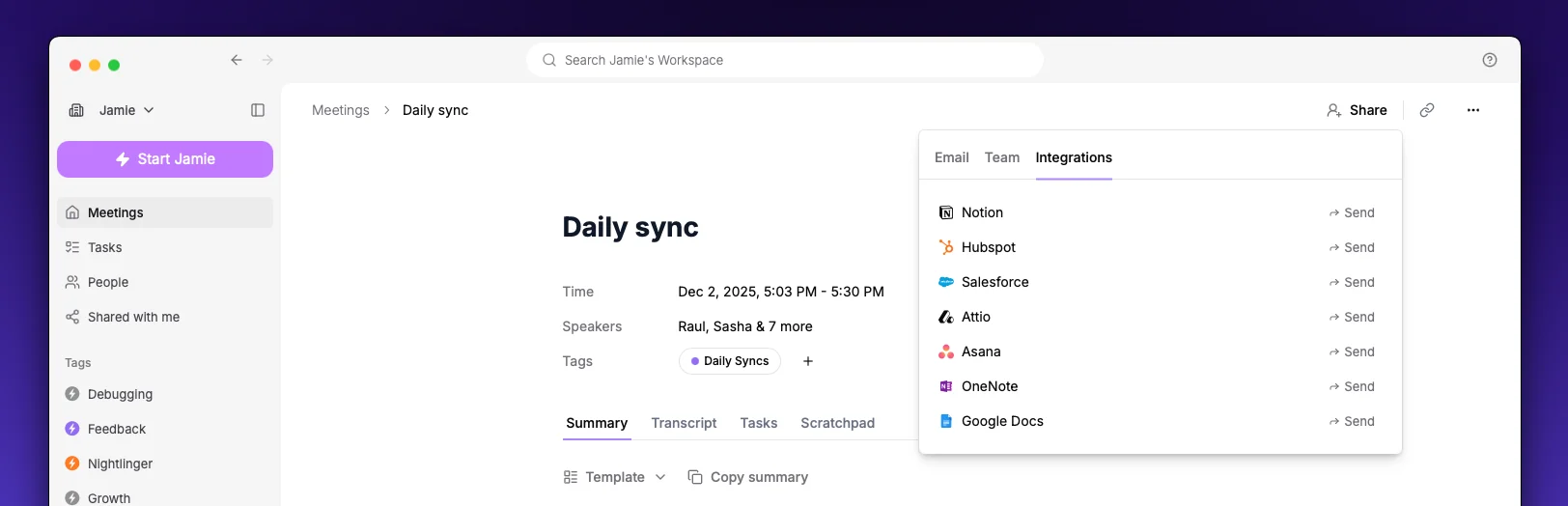 1. Open a meeting in Jamie
2. Click the **Share** button
3. Select **Send to OneNote**
4. Search across your notebooks and choose the **section** where you want to save the meeting
The meeting is added as a new page in the section you select.
## Automatic Sync
Enable **Automatic sync** to send every meeting to OneNote automatically after processing completes. Toggle this in **Settings → Integrations → OneNote**.
When automatic sync is on, pick a **default section**. Every meeting is then saved as a new page in that section.
## Settings
1. Open a meeting in Jamie
2. Click the **Share** button
3. Select **Send to OneNote**
4. Search across your notebooks and choose the **section** where you want to save the meeting
The meeting is added as a new page in the section you select.
## Automatic Sync
Enable **Automatic sync** to send every meeting to OneNote automatically after processing completes. Toggle this in **Settings → Integrations → OneNote**.
When automatic sync is on, pick a **default section**. Every meeting is then saved as a new page in that section.
## Settings
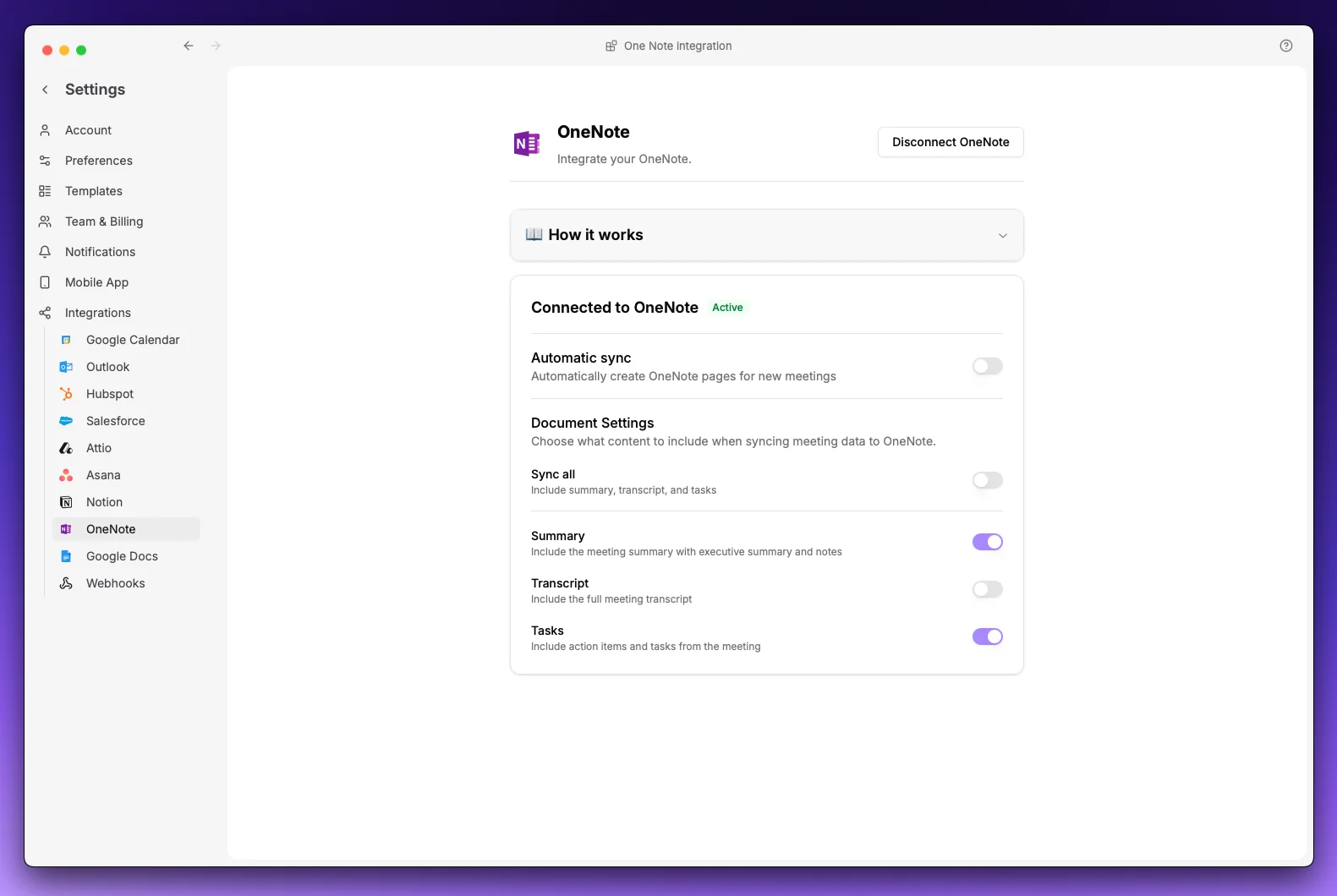 Configure what content to include:
| Option | Description |
| -------------- | ------------------------------------ |
| **Summary** | Meeting notes with executive summary |
| **Transcript** | Full meeting transcript |
| **Tasks** | Action items from the meeting |
At least one option must be enabled.
Configure what content to include:
| Option | Description |
| -------------- | ------------------------------------ |
| **Summary** | Meeting notes with executive summary |
| **Transcript** | Full meeting transcript |
| **Tasks** | Action items from the meeting |
At least one option must be enabled.