Single sign-on (SSO) allows your organization to manage authentication centrally through your identity provider (IdP). Jamie supports SAML 2.0, which is compatible with Okta, Microsoft Entra ID, Google Workspace, and any other standard IdP.
Setup has two steps that must be completed in order:
- Verify your domain — proves your organization owns the domain
- Configure SAML — connects your IdP to Jamie
Both are found under Settings → Security in the Jamie app.
Step 1: Verify your domain
Domain verification must be completed before SAML can be configured.
- Go to Settings → Security in Jamie
- Click Configure next to Domain Verification Settings
- Enter the domain you want to verify (e.g.
example.com)
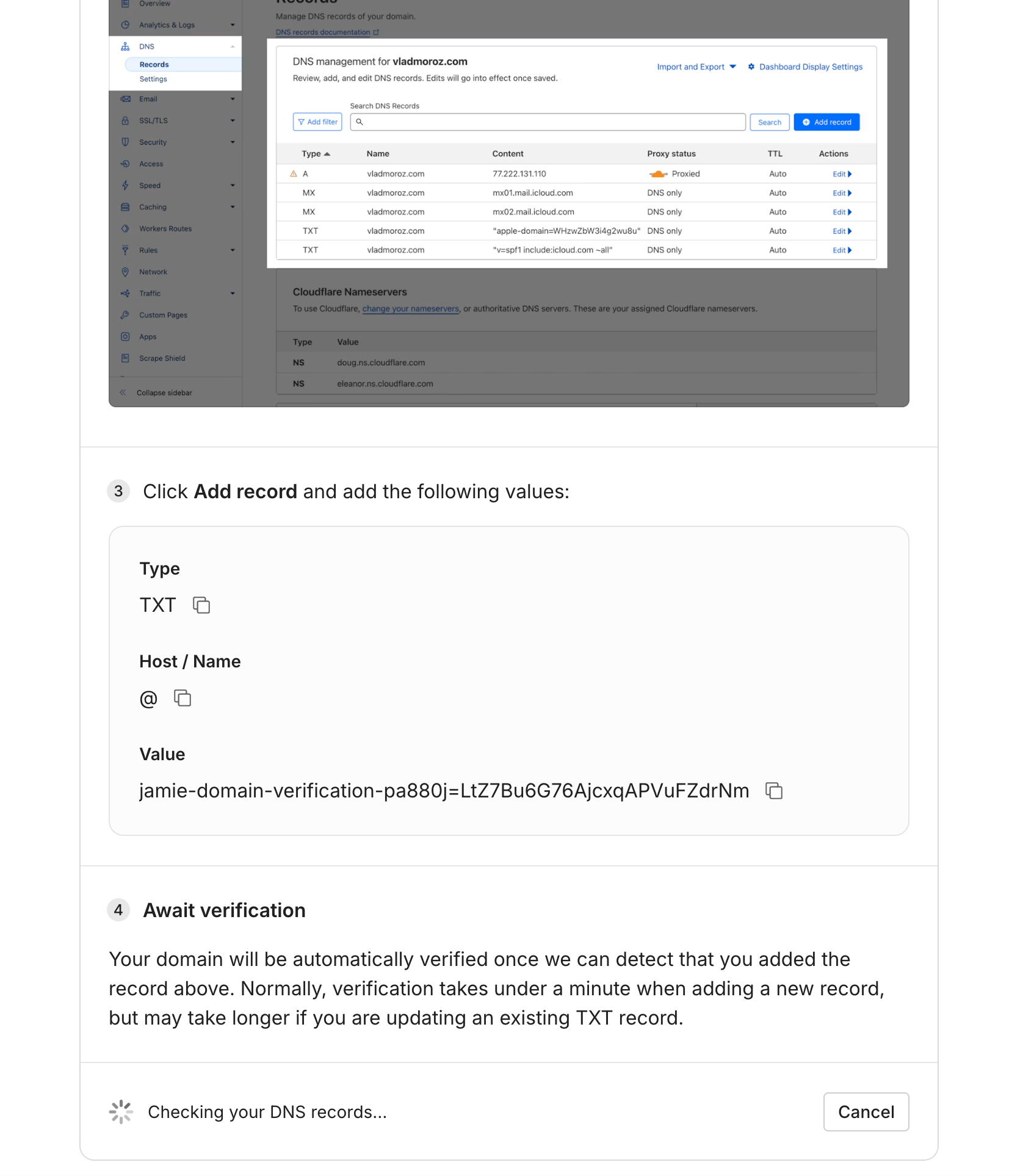
- You’ll be given a TXT record to add to your DNS:
- Add the TXT record in your DNS provider (Cloudflare, Route 53, Google Domains, etc.)
- Once added, verification is automatic — it usually takes under a minute, but can take up to 48 hours if you’re updating an existing TXT record
You can verify multiple domains (e.g. example.com and subsidiary.example.com) by repeating this step for each one.
- Go to Settings → Security in Jamie
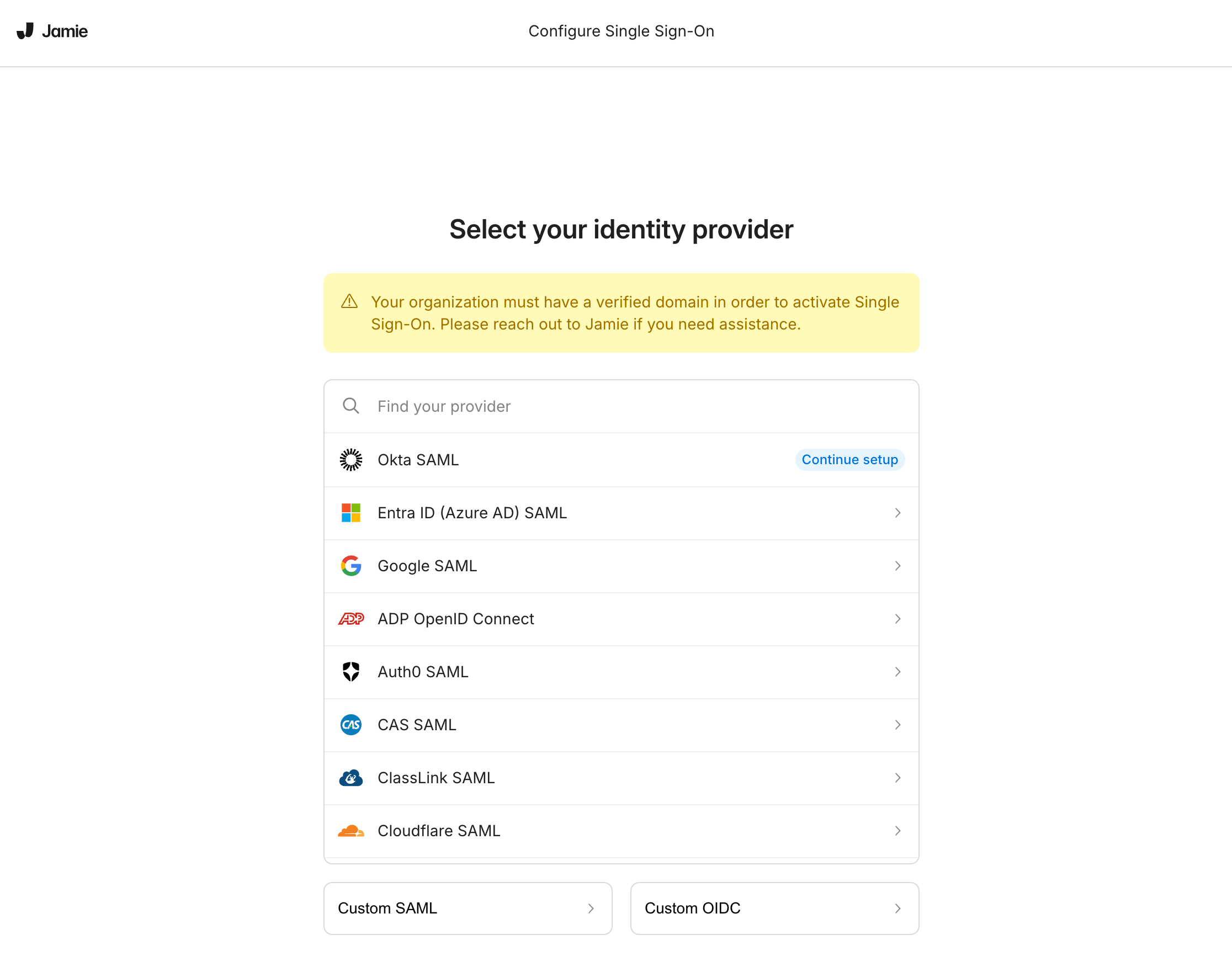
- Click Configure next to SSO-Provider Connection Settings
- Select your identity provider and follow the on-screen instructions
You’ll be provided with an ACS URL and Entity ID to enter in your IdP. The setup wizard includes step-by-step instructions for each supported provider.
Supported identity providers
- Okta
- Microsoft Entra ID (Azure AD)
- Google Workspace
- Auth0
- ADP
- Cloudflare
- Custom SAML — any other SAML 2.0-compliant IdP
- Custom OIDC
After setup
Once SAML is configured, all users signing in with one of your verified domains will be required to authenticate through your IdP. Users who previously signed in with email or social login will be redirected to SSO on their next login.
SCIM provisioning
Automatically create, update, and deprovision Jamie accounts — and assign workspace roles — directly from your IdP with Directory Sync (SCIM).
Questions?
If you run into any issues during setup, reach out to your account manager. Last modified on June 18, 2026