
How to use templates
Switch the template on a meeting
Open any meeting and use the template dropdown below the summary to switch formats. Switching templates never changes your transcript.
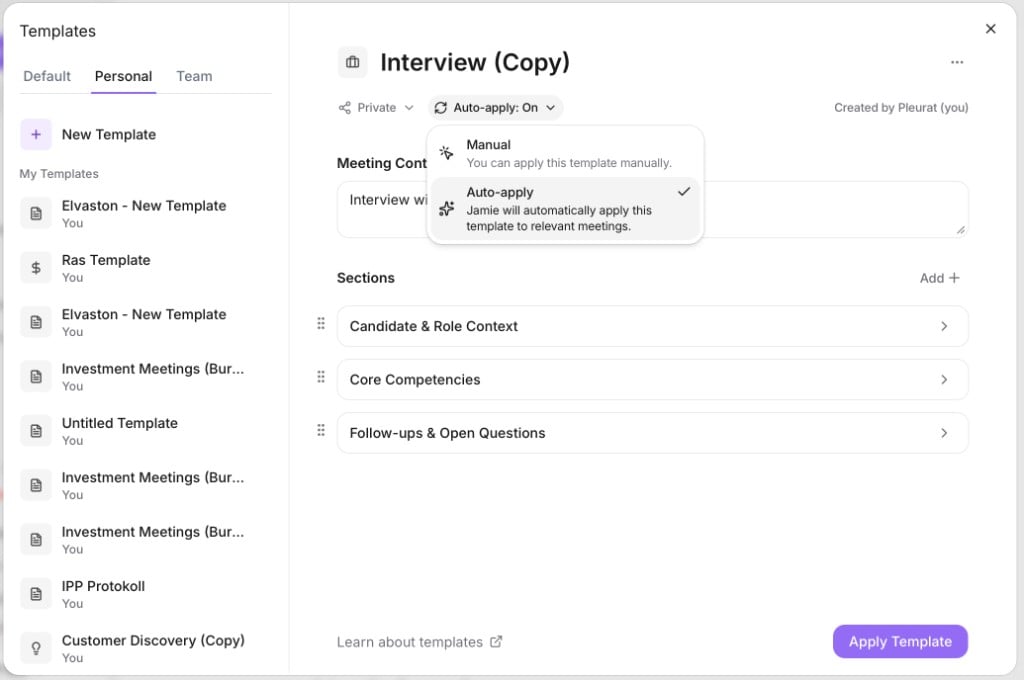
Create your own
Click Templates → Create New and add sections, each with a title and instructions for what it should capture.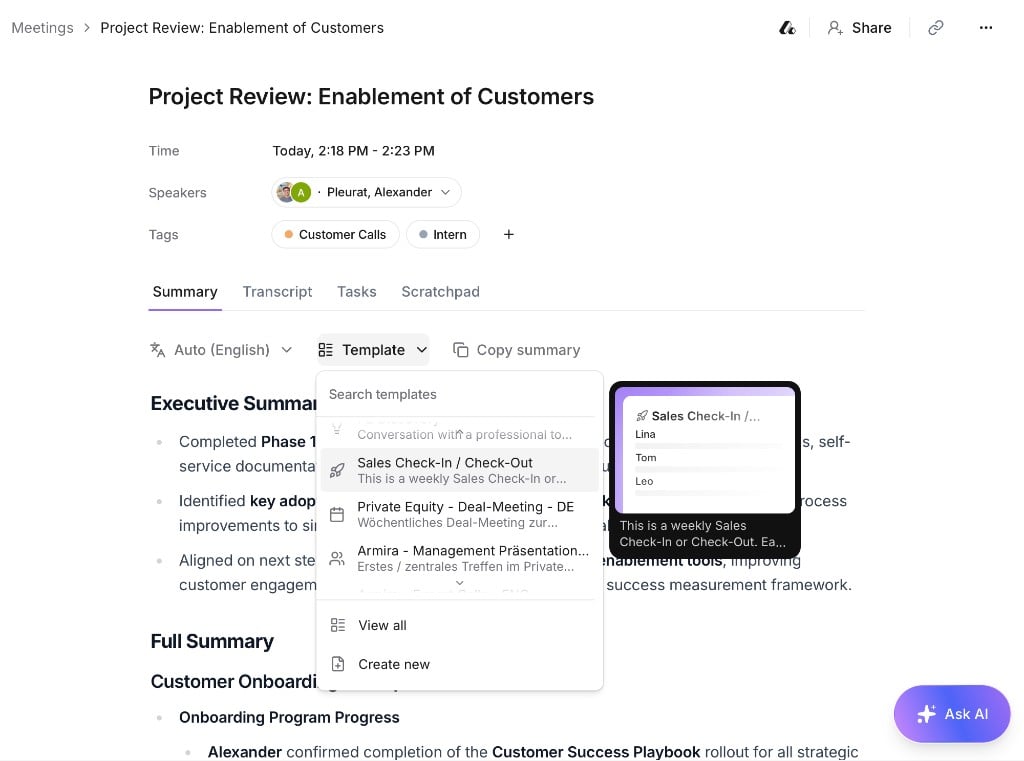
Use templates from our library
Browse our template library for ready-made formats:- Find a template that fits what you need.
- Click Use Template to add it to your workspace — you can edit it afterward.