

How to use it
1
Open Ask AI
Click the Ask AI button at the bottom right of your screen, or press Cmd + J (Ctrl + J on Windows). Inside a meeting, use the chat bar at the bottom of the page. For a bigger view, click New Chat in the sidebar.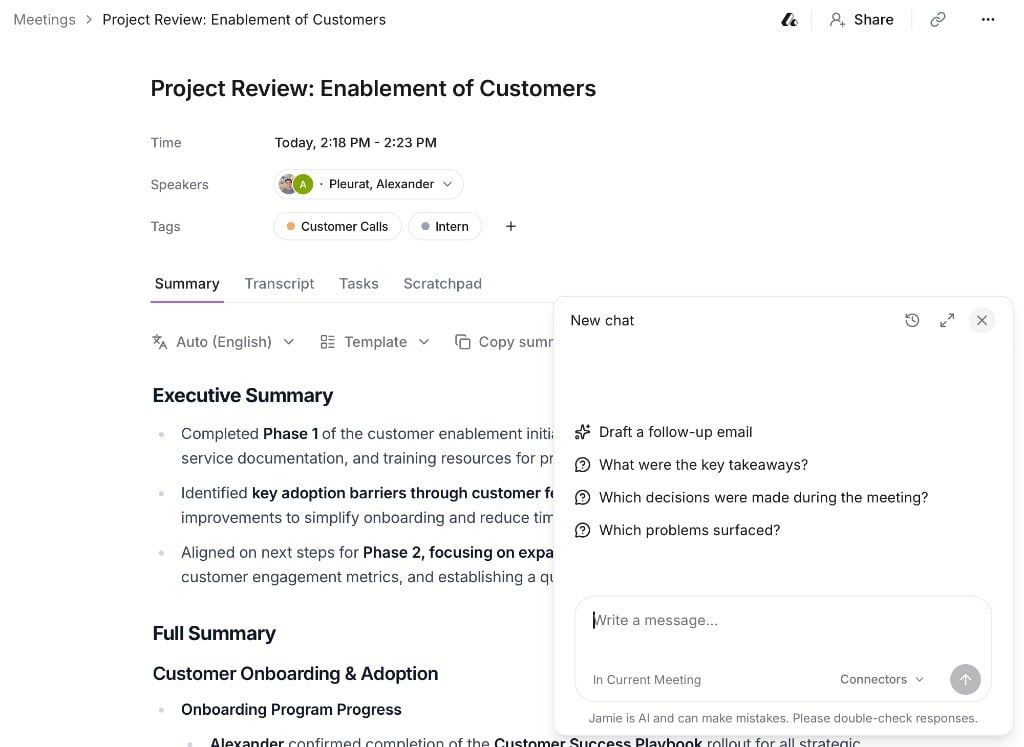
2
Check what it's looking at
Ask AI picks up context from the page you’re on. The label under the message box shows whether it’s focusing on All Meetings, the Current Meeting, or Tagged Meetings. Filter by a tag first to ask about a project or client.
3
Ask anything
Draft follow-ups, find answers across your history, or summarize recent calls. Answers link to the meetings they came from.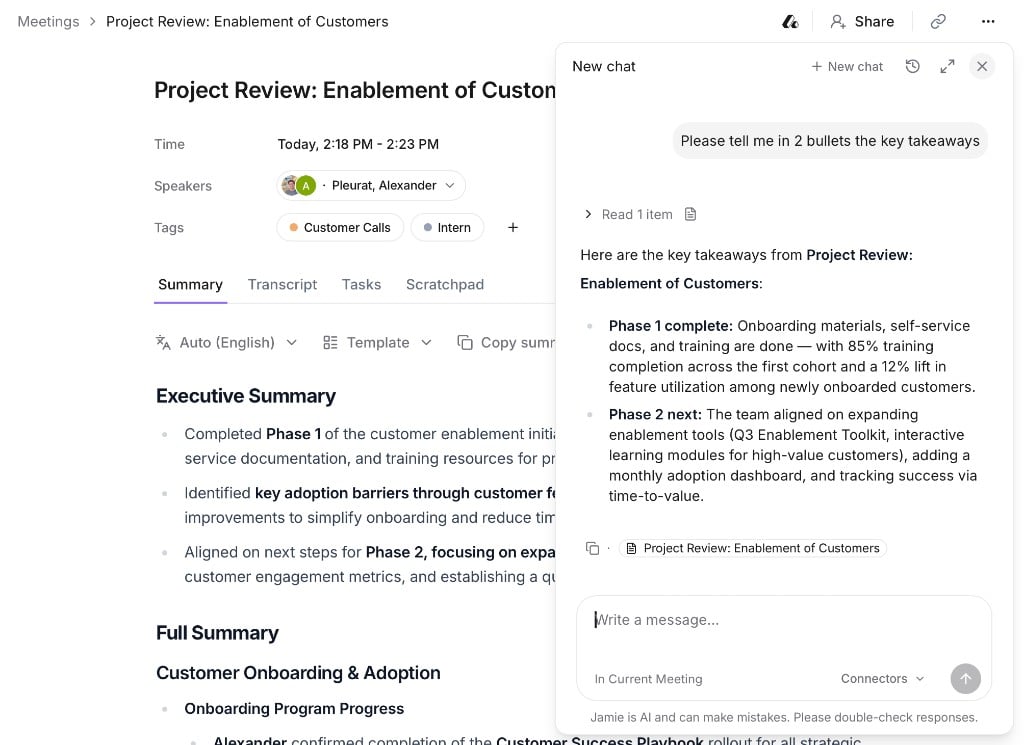
Your workspace admin decides who can use Ask AI. If you can’t see the Ask AI button, ask your admin about the Ask AI permission.
Go further
Everything Ask AI can do
Rewrite summaries, draft follow-ups, create tasks, search the web and work with your other tools.