

Like your meeting notes? So why not share your meeting summaries and action items with other attendees, friends, and/or your colleagues, regardless of whether they are users of our platform or not?Documentation Index
Fetch the complete documentation index at: https://docs.meetjamie.ai/llms.txt
Use this file to discover all available pages before exploring further.
How can you share your notes with others?
There are many ways you can share your meeting notes with others.Note: Jamie will never send out meeting notes automatically. You are in full control of who will receive a meeting summary from you to avoid spamming people.
Share via email
Share via email
We all have little time, so that’s why sharing a summary should be quick and easy. In Jamie you can share your summary with the click of a button. You can either share it with: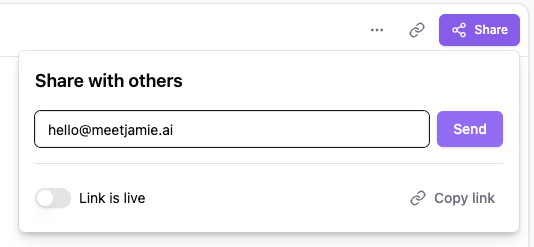
- Individual participants of a meeting
- All participants
- Other parties by simply adding their email
Important: The participants of the meeting will only show if you have connected your calendar with Jamie.
Share via custom link
Share via custom link
You can also generate a URL by clicking on the Share button in the upper right corner switching on the toggle on the left. Then click copy link.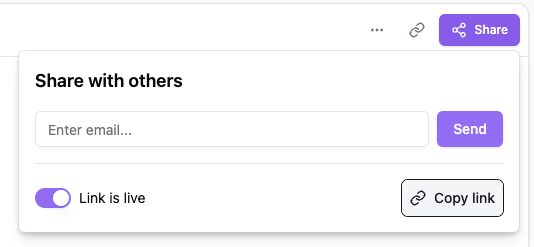
Note: To create a URL for your meeting notes, you have to first switch the slide bar to the right. You will then be able to copy and share the URL with others.Any changes made to the meeting notes by yourself will also update the URL that you have previously shared with others.
Share with team
Share with team
Copy paste
Copy paste
You can also simply copy-paste your summary, action items, and transcript into any document or knowledge hub of your liking.Simply select and copy and paste the text you want to share into any location of your liking. The formatting will be adapted.
FAQs
What output will be shared with others through the URL?
What output will be shared with others through the URL?
Is it possible to only share certain parts of my summary?
Is it possible to only share certain parts of my summary?
Can someone access my summary without having the link?
Can someone access my summary without having the link?
No, the URL is only created once you set the link live and can be deactivated at any time.
Can I deactivate public sharing link?
Can I deactivate public sharing link?
Creating a URL and sharing it with others does not mean that they can have unlimited access to your summary notes.
You can deactivate the public link to your meeting summary anytime by switching the toggle to the left.
Now, others are no longer able to access your summary via a web browser.