

Single sign-on (SSO) allows you to manage user authentication through your organization’s identity provider, ensuring secure and centralized access control for your team.Documentation Index
Fetch the complete documentation index at: https://docs.meetjamie.ai/llms.txt
Use this file to discover all available pages before exploring further.
Supported providers
Jamie currently supports SSO with:- Microsoft Entra ID (formerly Azure AD)
- Google Workspace
Setting up SSO
To enable SSO for your workspace:- Contact your account manager at Jamie
- Provide the following information:
- Your SSO provider (Microsoft Entra ID or Google Workspace)
- A list of email domains to associate with your workspace (e.g.,
example.com,subsidiary.example.com)
Microsoft Entra ID configuration
When using Microsoft Entra ID, you may need to grant consent for the Jamie application in your Entra ID admin portal, depending on your organization’s settings.Before you can see Jamie in one of these lists, you need to make an attempt to log in with Microsoft at app.meetjamie.ai/login
Microsoft Entra admin center
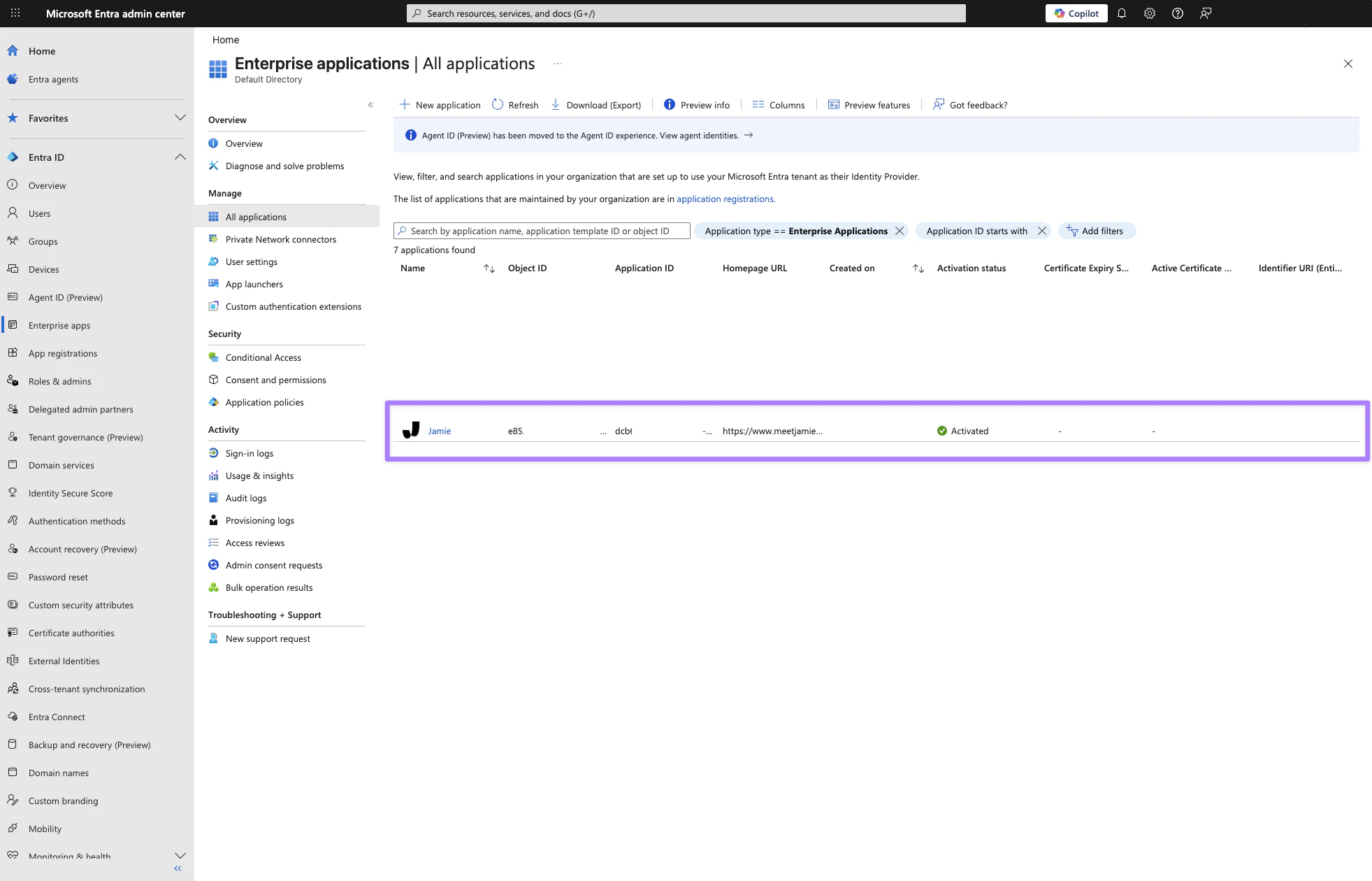
- Go to
Enterprise apps → All applications - Find Jamie in the list
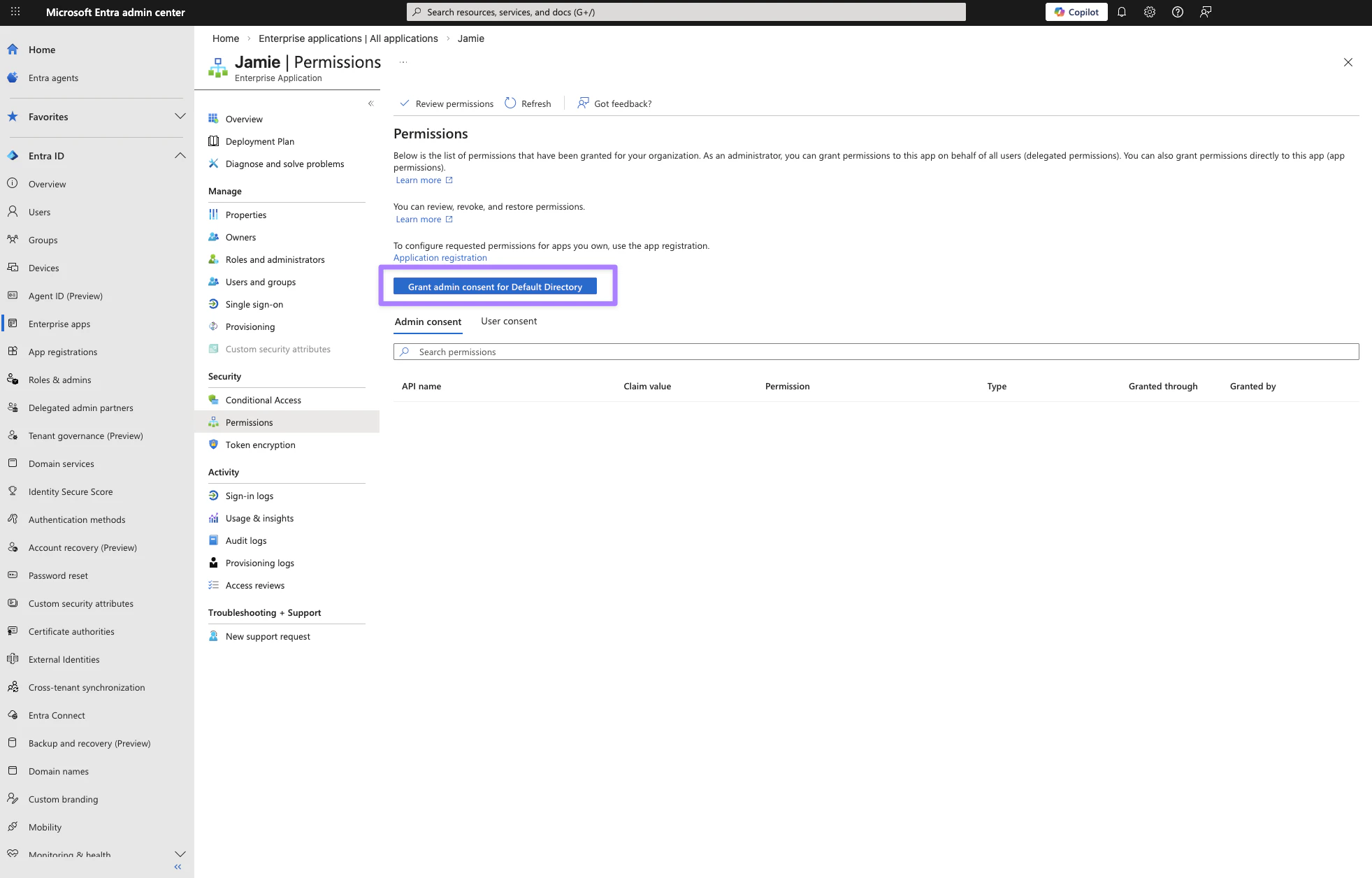
- In the Jamie app click onto
Permissions → Grant admin consent for Default Directory.
Microsoft Azure
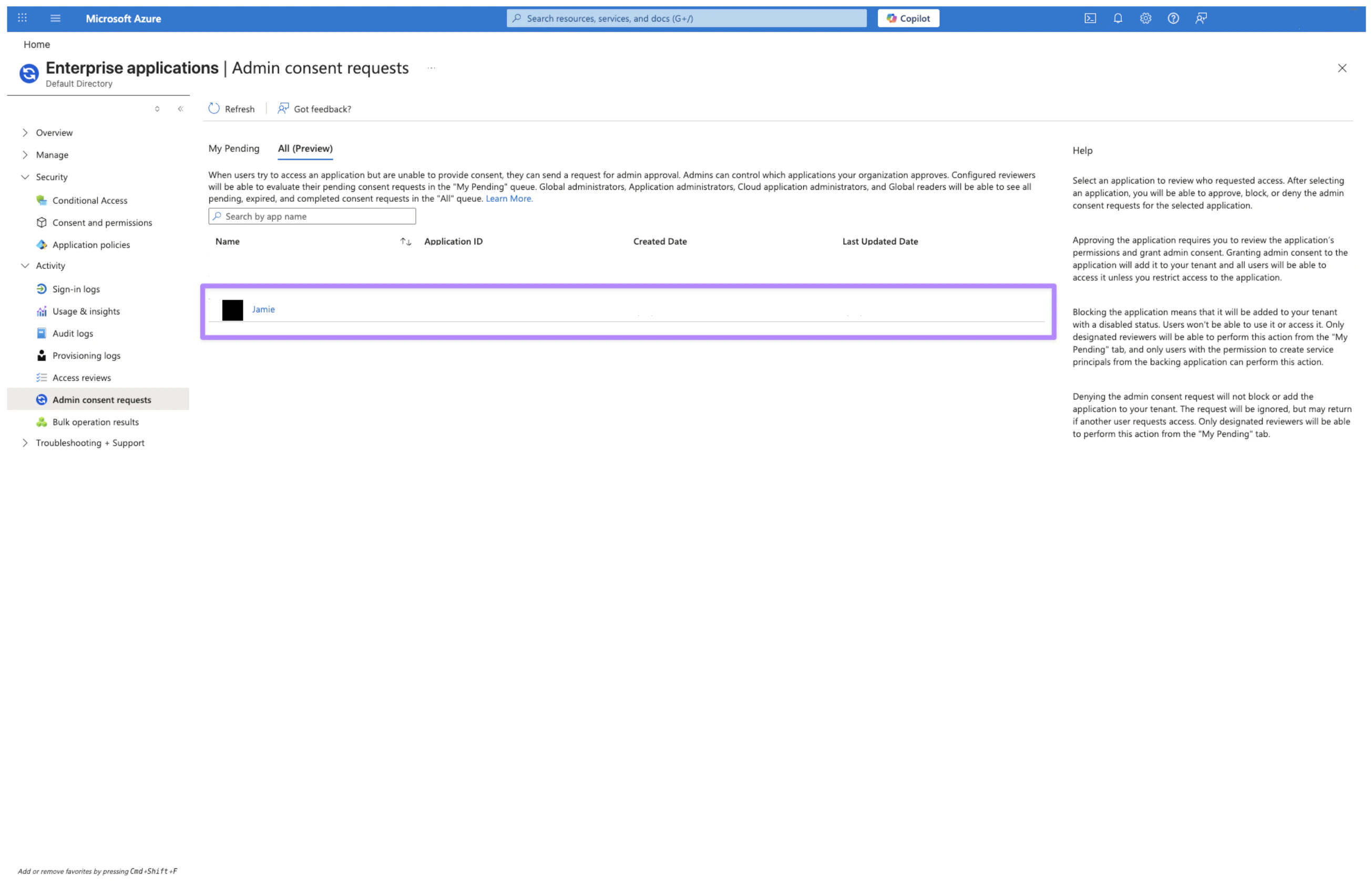
- Go to
Enterprise Applications → Admin consent requests - Find and open Jamie
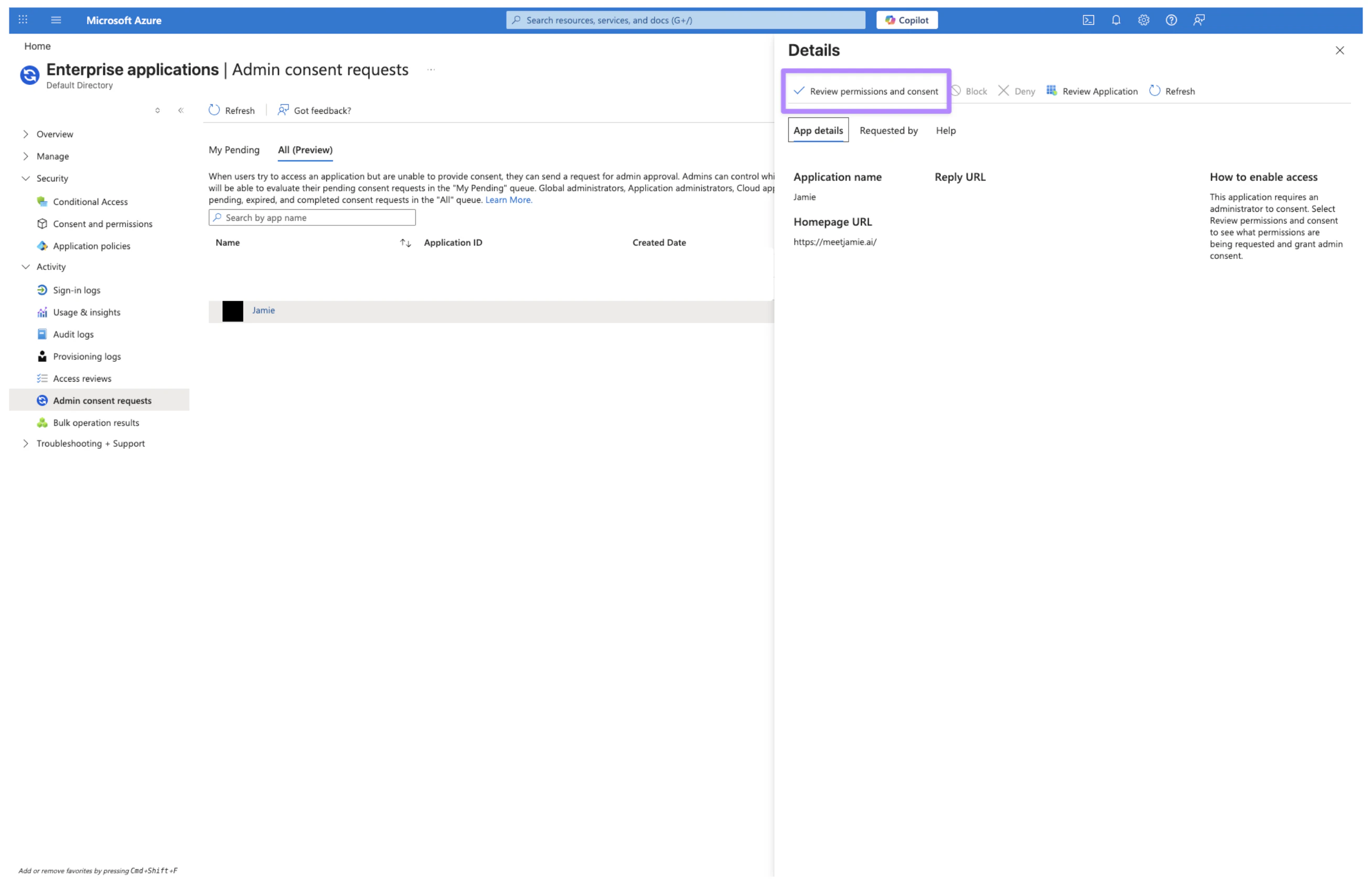
- Click
Review permissions and consent
Required permissions
To use Microsoft SSO, you need to provide the following permissions.| Permission | What it does | Why Jamie needs it |
|---|---|---|
openid | Standard sign-in authentication | Required to securely sign you in |
profile | Access your name and basic profile | Shows your name in Jamie and personalizes your experience |
email | Access your email address | Identifies your account and enables sharing features |
User.Read | Read your basic profile from Microsoft | Retrieves your account information during sign-in |
As calendar connection is required for many Jamie features to work correctly, you need to also provide Outlook permissions to the Entra ID app. See this guide for more information.