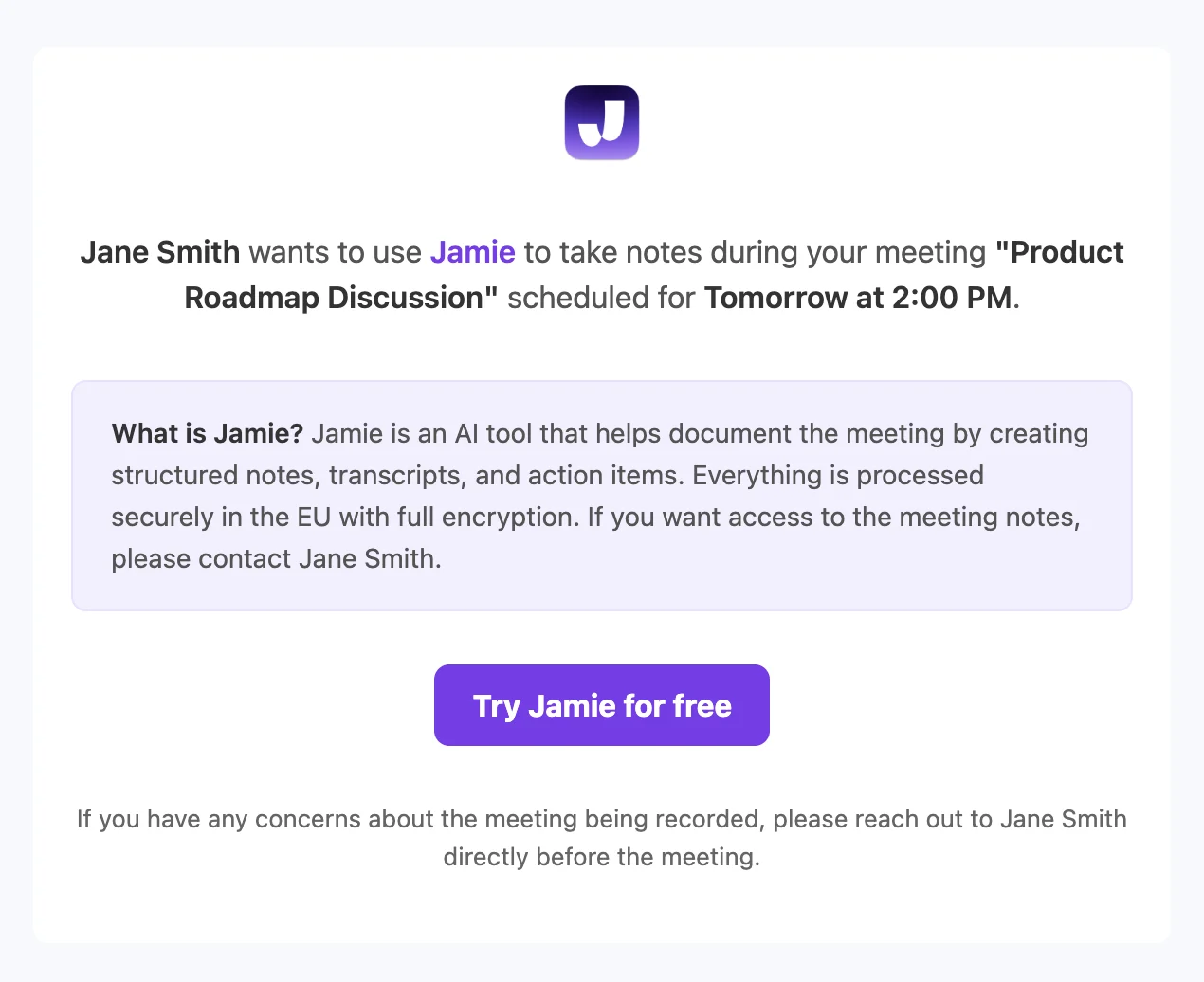
Jamie can automatically send an email notification to your meeting attendees before the meeting starts. This email informs them that you plan to use Jamie for note-taking. You can choose how far in advance the notice is sent — from 10 minutes up to 48 hours before the meeting (4 hours by default).Requirements:
You must have your calendar connected to Jamie
How it works:
Jamie checks your connected calendar for upcoming meetings
Before each meeting, attendees receive an email notification at the time you’ve configured (10 minutes, 30 minutes, 1 hour, 4 hours, 12 hours, 24 hours, or 48 hours in advance)
The email explains that you’ll be using Jamie and briefly describes what Jamie does
Attendees from your workspace are automatically excluded (they already know about Jamie)
How to enable:
Go to Settings → Notifications
Find the Recording notice toggle
Enable the toggle to start sending automatic notifications
Optionally adjust the Notice timing to control how far in advance the email is sent
It is required to inform all meeting participants. The responsibility for determining the appropriate legal basis (e.g. legitimate interest) and ensuring transparency with participants lies with you as the data controller. For a detailed legal assessment of this approach, you can request our legal whitepaper through our Trust Center.
Last modified on August 11, 2026
Assistant
Responses are generated using AI and may contain mistakes.