

HubSpot integration requires a Pro, Team, or Enterprise plan.
Connecting HubSpot
- Go to Settings → Integrations → HubSpot
- Click Connect HubSpot
- Select your HubSpot account and authorize the connection
Sending Meetings to HubSpot
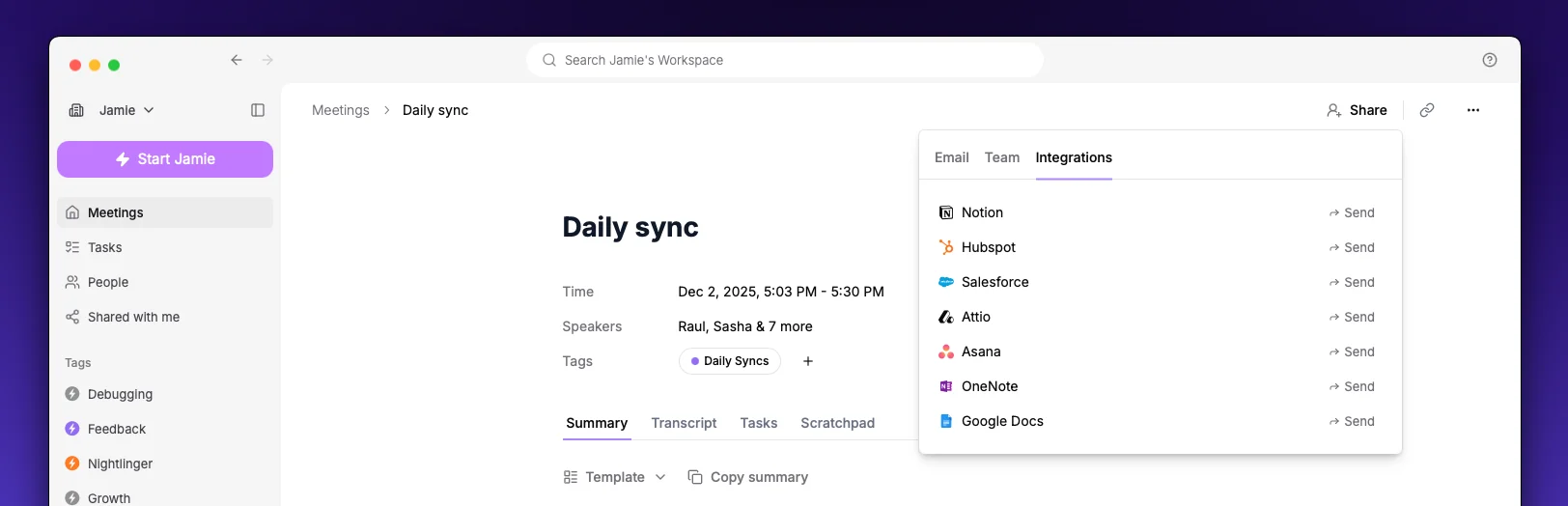
- Open a meeting in Jamie
- Click the Share button and navigate to Integrations
- Select Send to HubSpot
- Search for and select a contact, company, or deal
- Click Send
Settings
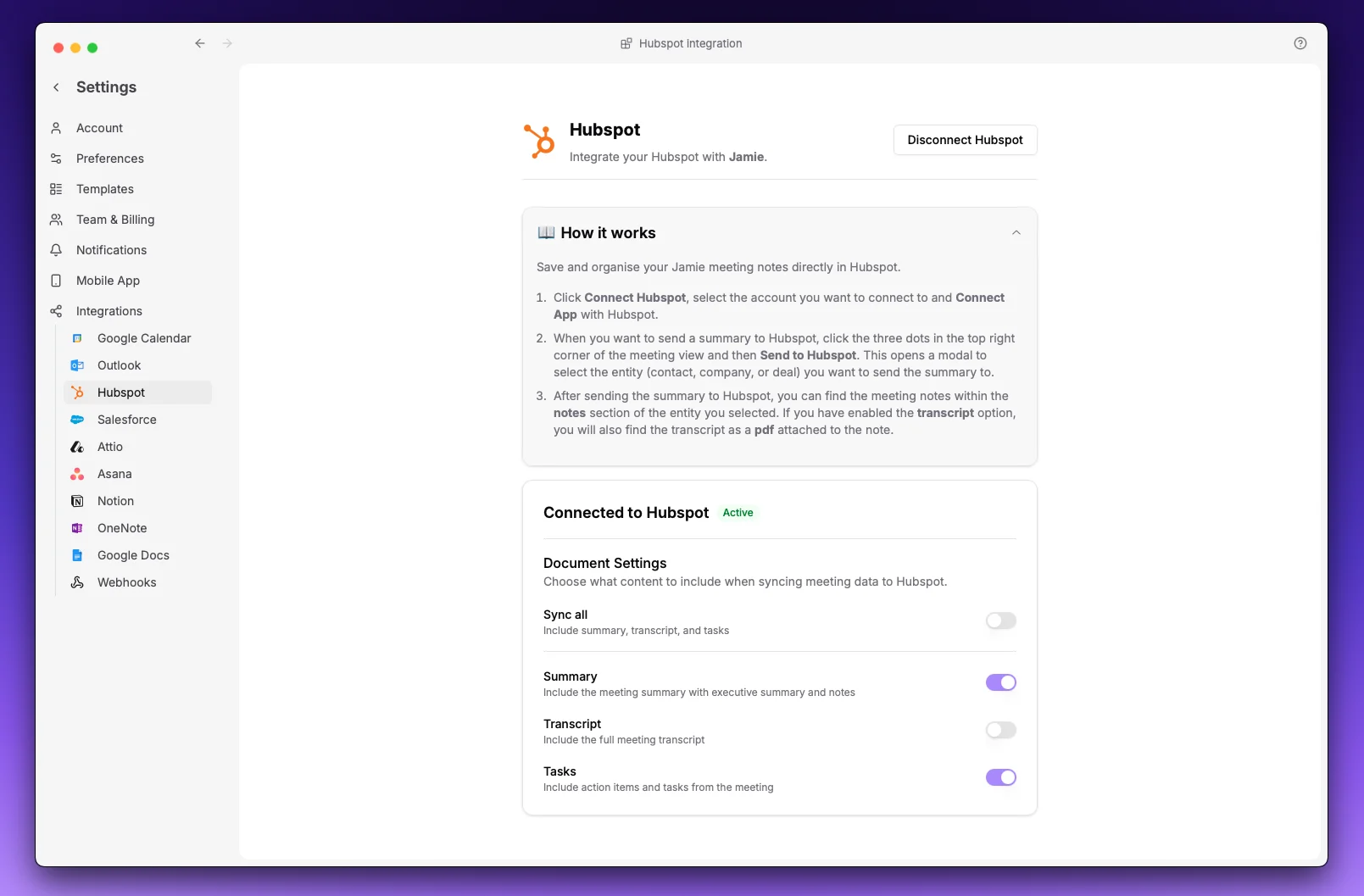
At least one option must be enabled.